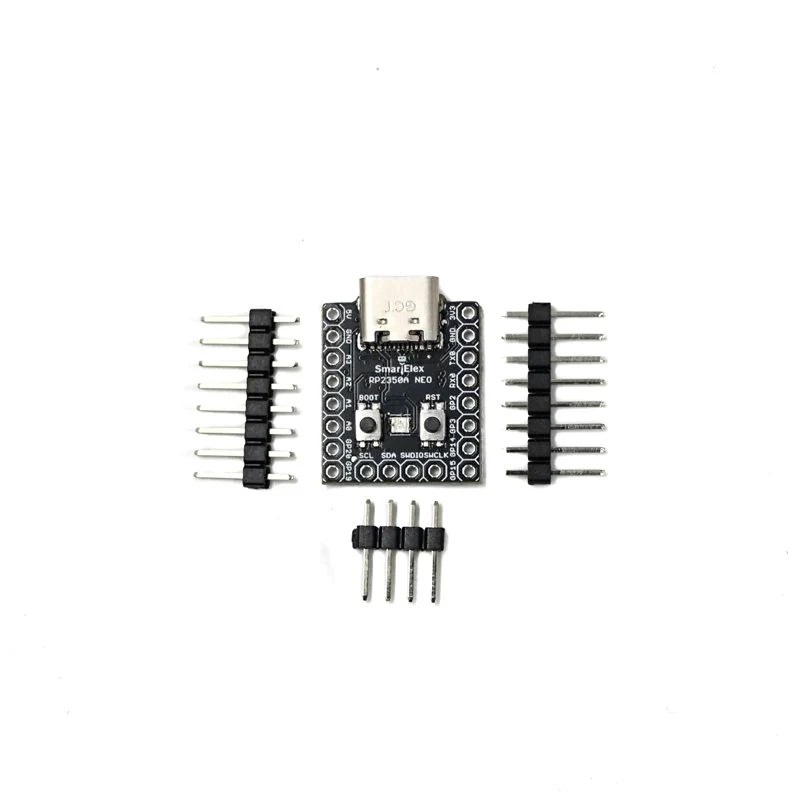
SmartElex RP2350A NEO Development Board
The SmartElex RP2350 NEO development board is based on the RP2350A microcontroller, developed by Raspberry Pi. Designed with a compact form factor, it features a split architecture, separating the USB and button circuits to minimize overall thickness and improve integration into various projects. Whether you are a beginner or an advanced developer, the SmartElex RP2350 NEO provides a versatile and powerful platform for embedded applications.
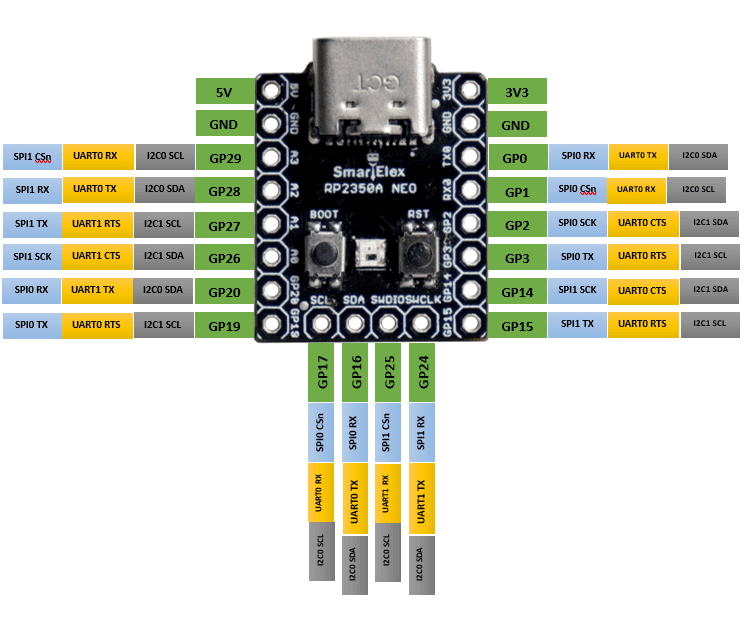
Pinout Definition:

Features:
- Microcontroller: RP2350A (Dual-core ARM Cortex-M0+ processor)
- Compact and thin PCB design
- Multiple GPIOs for flexible interfacing
- Power-efficient design
- Supports Arduino and Micro-Python programming
- Onboard power management
- USB Type-C connectivity
- RP2350A microcontroller chip designed by Raspberry Pi in the United Kingdom
- Adopts unique dual-core and dual-architecture design, equipped with dual-core ARM Cortex-M33 processor and dual-core Hazard3 RISC-V core processor, flexible clock running up to 150 MHz
- 520KB of SRAM, and 4MB of on-board Flash memory
- Onboard FPC 8PIN connector, adapting USB Type-C port via adapter board
- Castellated module allows soldering directly to carrier boards
- USB 1.1 with device and host support
- Low-power sleep and dormant modes
- Drag-and-drop programming using mass storage over USB
- 28 × multi-function GPIO pins (20 via edge pinout, others via solder points)
- Multiple hardware peripherals
- SPI × 1
- I2C × 2
- UART × 1
- 12-bit ADC × 4
- Controllable PWM channel × 7
Getting Started:
- Install USB Drivers (if required for your operating system).
- Connect the SmartElex RP2350-NEO to your PC using a USB Type-C cable.
- Select the appropriate board in your programming environment.
- Upload your code using the Arduino IDE, MicroPython, or another supported tool.
- Monitor serial output for debugging using a serial terminal.
Note: For more details about the product please go through the User manual in attachments sections
Product Information
Product Information
Shipping & Returns
Shipping & Returns

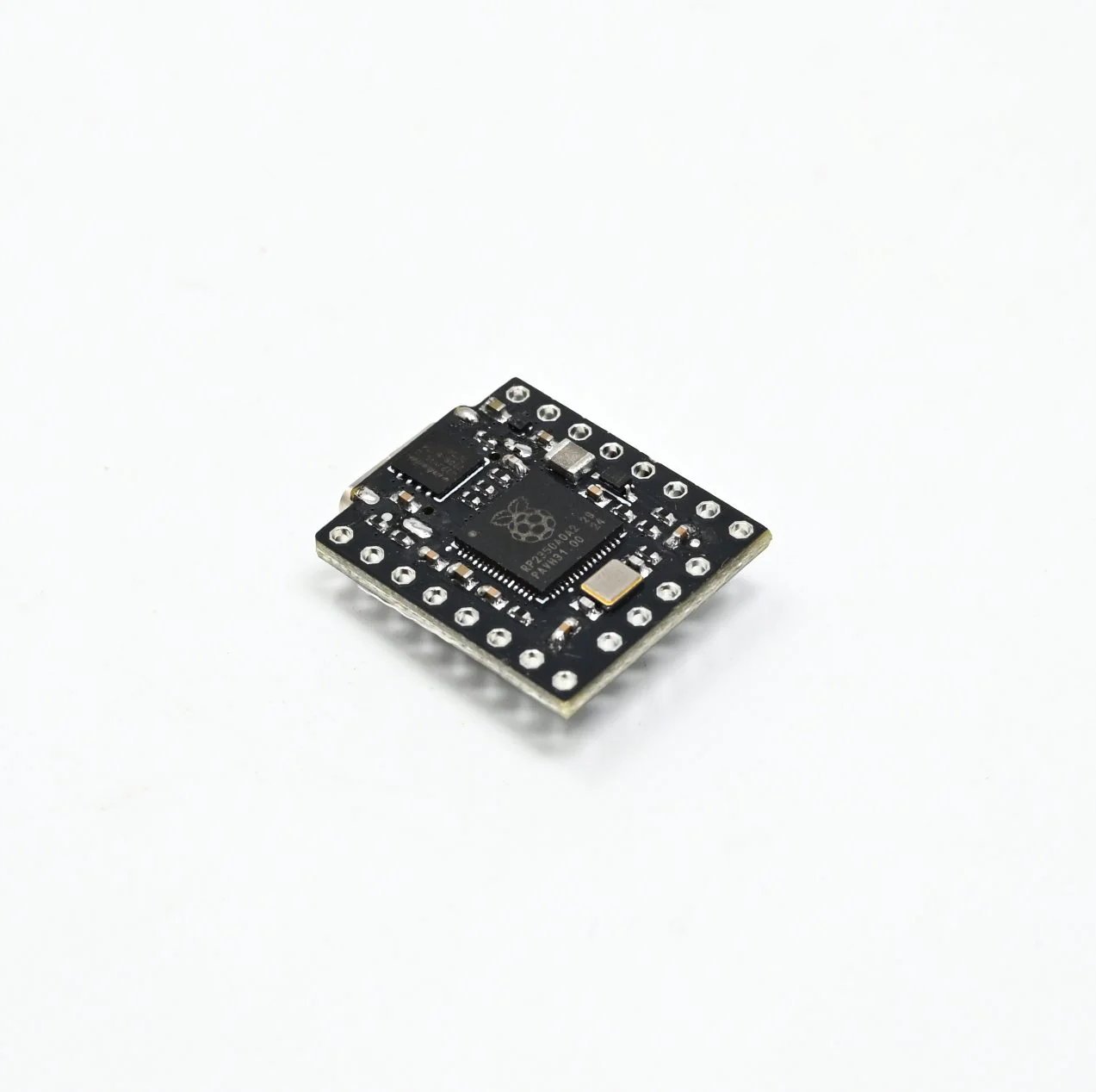
SmartElex RP2350A NEO Development Board
SmartElex RP2350A NEO Development Board
The SmartElex RP2350 NEO development board is based on the RP2350A microcontroller, developed by Raspberry Pi. Designed with a compact form factor, it features a split architecture, separating the USB and button circuits to minimize overall thickness and improve integration into various projects. Whether you are a beginner or an advanced developer, the SmartElex RP2350 NEO provides a versatile and powerful platform for embedded applications.
Pinout Definition:
Features:
- Microcontroller: RP2350A (Dual-core ARM Cortex-M0+ processor)
- Compact and thin PCB design
- Multiple GPIOs for flexible interfacing
- Power-efficient design
- Supports Arduino and Micro-Python programming
- Onboard power management
- USB Type-C connectivity
- RP2350A microcontroller chip designed by Raspberry Pi in the United Kingdom
- Adopts unique dual-core and dual-architecture design, equipped with dual-core ARM Cortex-M33 processor and dual-core Hazard3 RISC-V core processor, flexible clock running up to 150 MHz
- 520KB of SRAM, and 4MB of on-board Flash memory
- Onboard FPC 8PIN connector, adapting USB Type-C port via adapter board
- Castellated module allows soldering directly to carrier boards
- USB 1.1 with device and host support
- Low-power sleep and dormant modes
- Drag-and-drop programming using mass storage over USB
- 28 × multi-function GPIO pins (20 via edge pinout, others via solder points)
- Multiple hardware peripherals
- SPI × 1
- I2C × 2
- UART × 1
- 12-bit ADC × 4
- Controllable PWM channel × 7
Getting Started:
- Install USB Drivers (if required for your operating system).
- Connect the SmartElex RP2350-NEO to your PC using a USB Type-C cable.
- Select the appropriate board in your programming environment.
- Upload your code using the Arduino IDE, MicroPython, or another supported tool.
- Monitor serial output for debugging using a serial terminal.
Note: For more details about the product please go through the User manual in attachments sections
Original: $296.01
-70%$296.01
$88.80Product Information
Product Information
Shipping & Returns
Shipping & Returns
Description
The SmartElex RP2350 NEO development board is based on the RP2350A microcontroller, developed by Raspberry Pi. Designed with a compact form factor, it features a split architecture, separating the USB and button circuits to minimize overall thickness and improve integration into various projects. Whether you are a beginner or an advanced developer, the SmartElex RP2350 NEO provides a versatile and powerful platform for embedded applications.
Pinout Definition:
Features:
- Microcontroller: RP2350A (Dual-core ARM Cortex-M0+ processor)
- Compact and thin PCB design
- Multiple GPIOs for flexible interfacing
- Power-efficient design
- Supports Arduino and Micro-Python programming
- Onboard power management
- USB Type-C connectivity
- RP2350A microcontroller chip designed by Raspberry Pi in the United Kingdom
- Adopts unique dual-core and dual-architecture design, equipped with dual-core ARM Cortex-M33 processor and dual-core Hazard3 RISC-V core processor, flexible clock running up to 150 MHz
- 520KB of SRAM, and 4MB of on-board Flash memory
- Onboard FPC 8PIN connector, adapting USB Type-C port via adapter board
- Castellated module allows soldering directly to carrier boards
- USB 1.1 with device and host support
- Low-power sleep and dormant modes
- Drag-and-drop programming using mass storage over USB
- 28 × multi-function GPIO pins (20 via edge pinout, others via solder points)
- Multiple hardware peripherals
- SPI × 1
- I2C × 2
- UART × 1
- 12-bit ADC × 4
- Controllable PWM channel × 7
Getting Started:
- Install USB Drivers (if required for your operating system).
- Connect the SmartElex RP2350-NEO to your PC using a USB Type-C cable.
- Select the appropriate board in your programming environment.
- Upload your code using the Arduino IDE, MicroPython, or another supported tool.
- Monitor serial output for debugging using a serial terminal.
Note: For more details about the product please go through the User manual in attachments sections